
A mouse is in your hand all day, so a feature sheet cannot answer the most important question: will its size and controls work for you? We read visible Amazon US owner entries for each exact listing, checked the displayed variants and photographed products, and compared five current alternatives. The Logitech MX Master 4 wins for a heavy desk workflow, the M720 Triathlon earns the value role, and the M185 is the inexpensive basic choice. Our numeric scores are editorial judgments for these buying roles, not Amazon ratings or a prediction of device life.
Why MX Master 4 leads
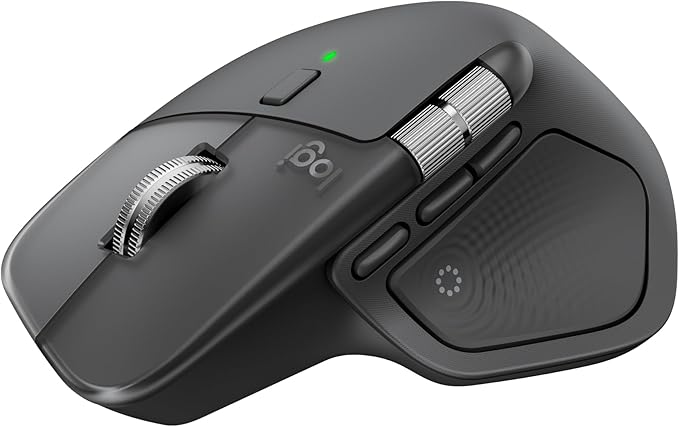
For spreadsheet, editing and browser work, the MX Master 4 offers the most control: a fast main scroll wheel, thumb wheel, programmable buttons, haptic shortcuts, quiet clicks and Bluetooth or a USB-C receiver. Exact graphite owners in our visible sample praised programmable side buttons and the softer click feel compared with older MX models. The natural right-hand tilt will appeal to some people who dislike small flat mice. It is also a large, expensive mouse, and that shape rules it out for left-handed users. One exact graphite owner called the upgrade disappointing and criticized control behavior. We give it the overall slot because its control range is useful for the intended power user, not because all reviews agree.
Why M720 may be the better buy
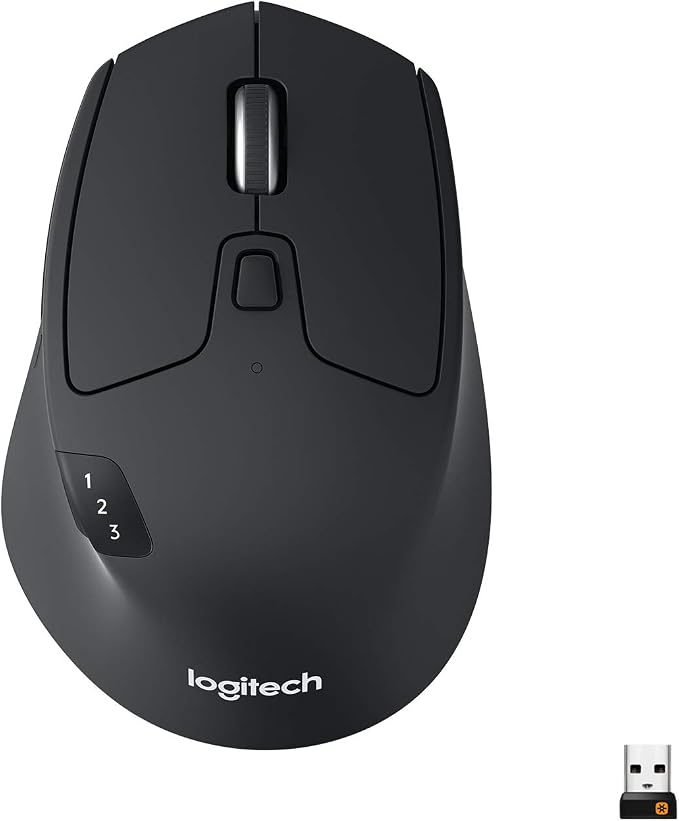
The M720 costs much less at the checked offer and still gives a right-handed full-size grip, a fast scroll option, Bluetooth, a Unifying USB receiver and three-device switching. One owner bought it specifically to save a laptop port by using Bluetooth. Others liked moving between a desktop and laptop. It gives most office workers the part of the flagship experience that matters: dependable pointer control and quick computer switching, without asking them to pay for haptics. The critical-review filter matters here. Separate exact-style owners reported a failing left button, pairing trouble on a second computer and units that stopped connecting. Those stories do not establish a failure rate, but they are reason to test all connection modes promptly while return options are open.
What the M185 sacrifices to save money
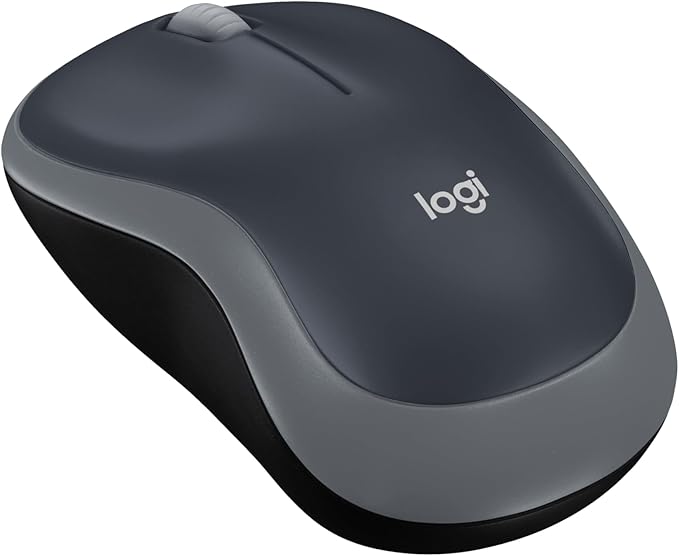
The M185 is small, simple and ambidextrous. Plug its nano receiver into a USB-A port and it is ready for ordinary pointing. A Swift Grey owner described almost two years of use, and other exact-color owners liked the mouse with school or travel laptops. Its shape is better suited to smaller or medium hands than a full palm grip, and it has no Bluetooth or multi-device button. Do not confuse its receiver with Logitech's Unifying system: a one-star Swift Grey reviewer was unhappy about that expectation. Another exact-color one-star report described double clicking after a few months. Those issues are worth checking immediately after delivery and during the return period.
Questions Before You Buy
Will the mouse work with a tablet? MX Master 4 and M720 list Bluetooth, subject to the tablet's pairing support; the M185 requires its receiver and a suitable port or adapter.
Can a left-hander use these? M185 is described as ambidextrous, while the two larger mice have right-hand contours and thumb controls.
Is a high-end mouse better for gaming? Not automatically. This comparison prioritizes office comfort and controls, not gaming latency or sensor testing.
How long will the battery last? The M720 and M185 publish long claims for replaceable AA batteries; MX Master 4 recharges by USB-C. Real use, connection mode and settings affect endurance.
Pick the MX Master 4 when customizable desk controls justify the expense. Choose M720 if you want practical three-device work at the stronger value. Choose M185 for a spare, travel, or small-hand setup where basic pointer performance is enough. Verify the exact color and model at Amazon checkout.