
A wireless keyboard can make a desk feel cleaner, but connection method and key feel matter far more than the absence of a cable. We chose three current Amazon US listings for three different buyers: the Logitech MX Keys S for a multi-device desk, the Signature K650 for comfortable full-size typing at a gentler price, and the K270 for a basic computer with an open USB-A port. These picks draw on documented specifications and owner reports. Our scores are editorial assessments of fit, everyday usability and value at the checked offer; they are not Amazon star ratings.
Why MX Keys S wins overall
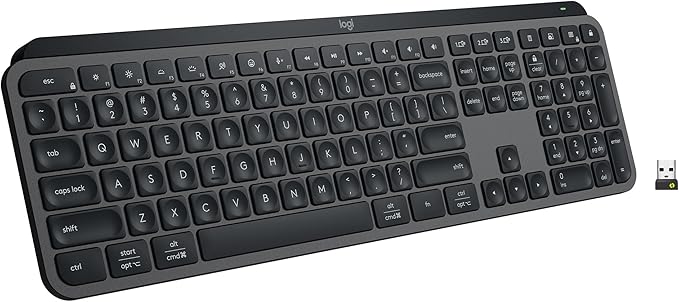
The MX Keys S does the most for a person who writes or works across several computers. The low-profile, dished keys, backlighting, Bluetooth and Logi Bolt receiver, USB-C charging and three-device pairing create a polished daily setup. Several exact graphite owners described solid build, comfortable typing and easy switching. One owner who works long days in litigation support specifically weighed its battery and keyboard feel. That is more useful evidence than simply counting the overall rating. Still, the price is substantial and a critical exact-variant owner objected to the absence of a dedicated Print Screen key and other familiar keys. If your workflow depends on specific physical shortcuts, inspect the layout before buying. The manufacturer's battery claim also changes dramatically when backlighting is on, so do not treat the maximum claim as typical for every desk.
When K650 is the smarter purchase
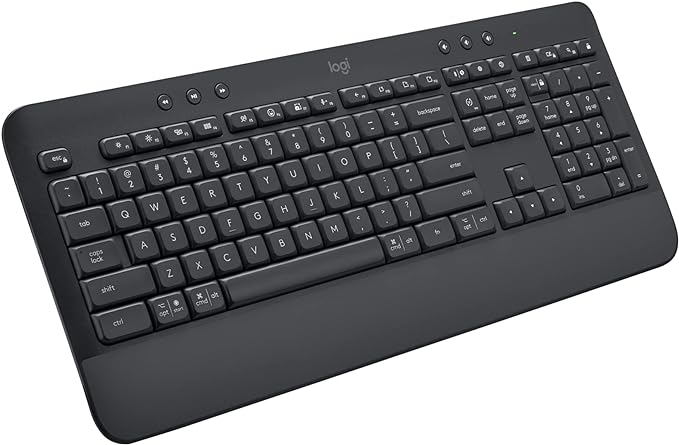
The Signature K650 is the value pick for someone who wants a full-size board, number pad, and a built-in palm rest. It offers Bluetooth Low Energy or the included Logi Bolt receiver, so a missing USB port need not decide the purchase. Graphite owners in the visible sample praised its quieter, cushioned typing and some reported long battery life. But key feel is personal: another exact graphite owner said the connection worked while they still disliked using the board. Its integrated rest also takes more desk depth than a slim keyboard. If you favor a soft, traditional keypress and spend hours entering data, it deserves a look; if you want crisp mechanical feedback, do not buy it on our comfort claim alone.
What the K270 gets right
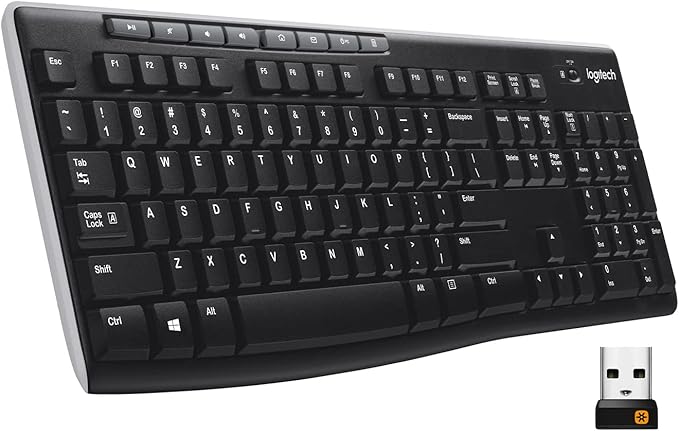
The K270 is the budget choice because it supplies a full-size layout and media controls for a much lower checked offer. It uses a USB-A receiver rather than Bluetooth. That simplicity suits a desktop computer and can be handy when Bluetooth is unreliable, as one exact black owner noted. The trade-off is equally clear: tablets and thin laptops without USB-A need an adapter, and there is no backlight. Exact black owners differed on key feel: one liked the satisfying press, while another called the keys a little soft. One reported mild wireless lag. We would not choose it for a setup that requires instant swapping among several devices.
Questions Before You Buy
Will these pair to a tablet? MX Keys S and K650 list Bluetooth and support multiple platforms; check your tablet's OS and keyboard pairing instructions. K270's USB receiver makes tablet use less straightforward.
Do I need to charge them? Only the MX Keys S is rechargeable here. The others use replaceable batteries, and their advertised battery life depends on use.
Can I share a receiver with an existing Logitech mouse? Receiver families differ. K650 uses Logi Bolt; K270 uses a USB receiver; do not assume one dongle pairs every Logitech device.
Will the palm rest fix wrist pain? We cannot make that claim. K650's rest may feel pleasant, but fit depends on your posture and desk.
Our ranking reflects each role, not a claim that every buyer should purchase the most expensive keyboard. Choose MX Keys S if you value backlighting and multi-device work, K650 for cushioned full-size typing at better value, and K270 for a simple low-cost Windows desk. Follow the exact model link and check the current seller, price and return terms on Amazon before ordering.